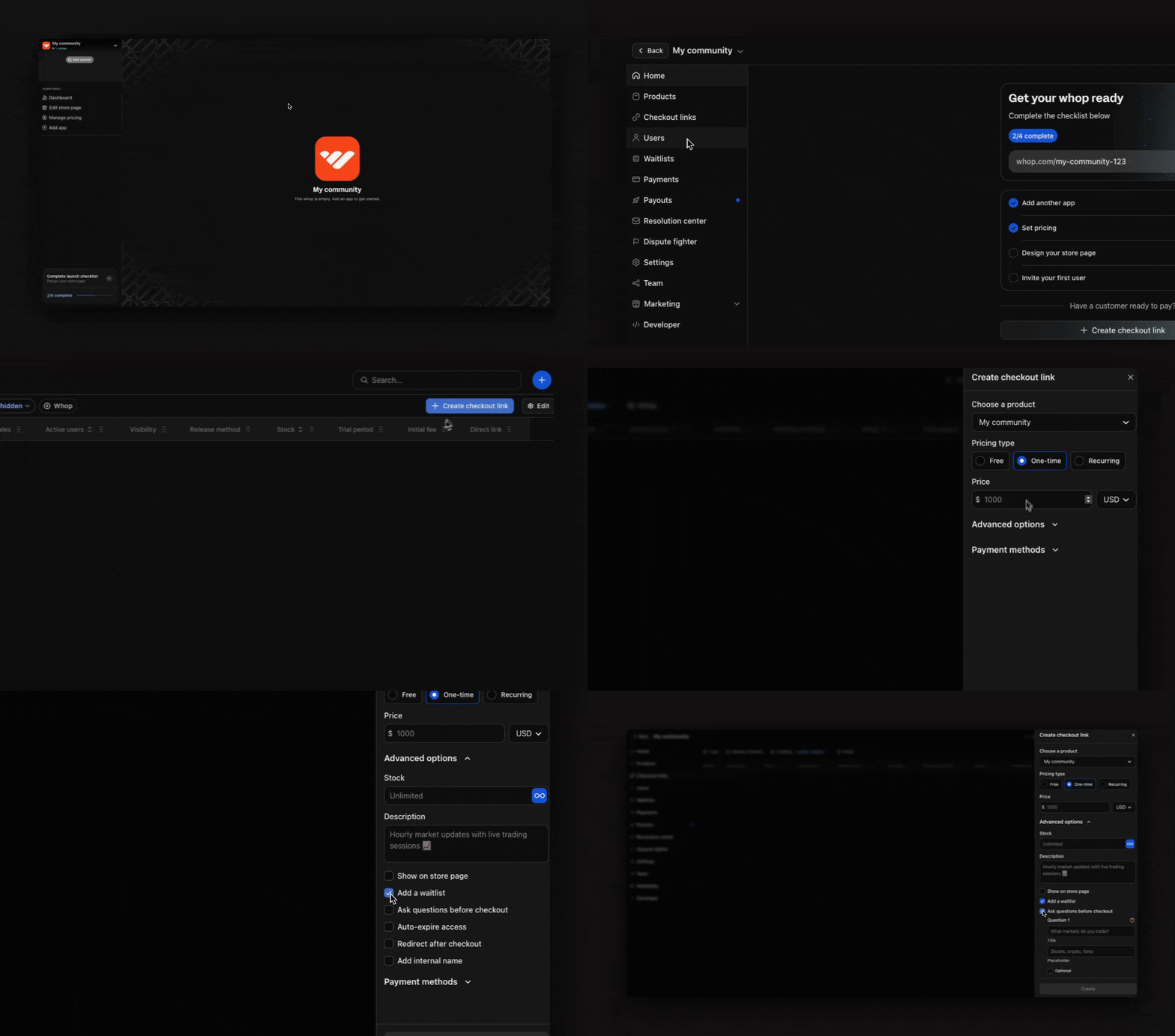
Use a waitlist to control who joins your whop. People apply to join, you review them, then approve the ones you want.
You can view and manage all your waitlist entries by going to your Dashboard > Waitlists.

How to create a waitlist checkout option

To set up a waitlist for your whop:
  1. Go to your Dashboard > Checkout links
  2. Select + Create checkout link
  3. Toggle Advanced options and select Add a waitlist
  4. Select Create
Whop adds anyone who joins through your checkout link to the waitlist instead of giving them immediate access. Waitlist

How to add questions to your waitlist

Pro tip: Add required questions for customers to answer before joining your waitlist. This will help qualify potential members and assess if they’re a good fit for your whop. To add questions to your waitlist:
  • Go to Dashboard > Checkout links
  • Find your waitlist link and select the 3 dots (⋮)
  • Select Edit
  • Under Advanced options, select Ask questions before checkout
  • Add your question titles and placeholder text
  • Select Update checkout link

How to approve/deny waitlist entries

Go to Dashboard > Waitlists to manage your waitlist. From here, you can:
  • Approve (thumbs up button) or deny (thumbs down button) individual users
  • Admit all entries at once by selecting the + Admit all entries button
  • Export entries by selecting the Export button in the top right
  • Contact users on your waitlist via DM or email
When you approve someone, they’ll automatically get access to your whop and receive a notification.

When to use a waitlist

A waitlist works well when you want to:
  • Build anticipation while you’re still creating: Collect emails, build an audience, and validate demand without opening access right away.
  • Qualify potential customers: Add custom questions to qualify leads before giving them access.
  • Create exclusivity for your community: When people have to apply and wait for approval, it makes your whop feel more valuable and desirable.
  • Launch a limited early release — Control who gets early access by reviewing applicants before letting them in. This is useful for testing with a smaller, high-quality group.