

How the affiliate program works
When someone uses a referral link to join your whop and makes a purchase, the person who referred them earns a commission. Here’s how it works:- You turn on the affiliate program
- Users get access to their unique affiliate link for your whop
- They share their link anywhere they want
- When someone joins through their link, Whop automatically tracks the referral and pays the commission
- You can customize commission rates anytime to fit your business model
How to set up your affiliate program
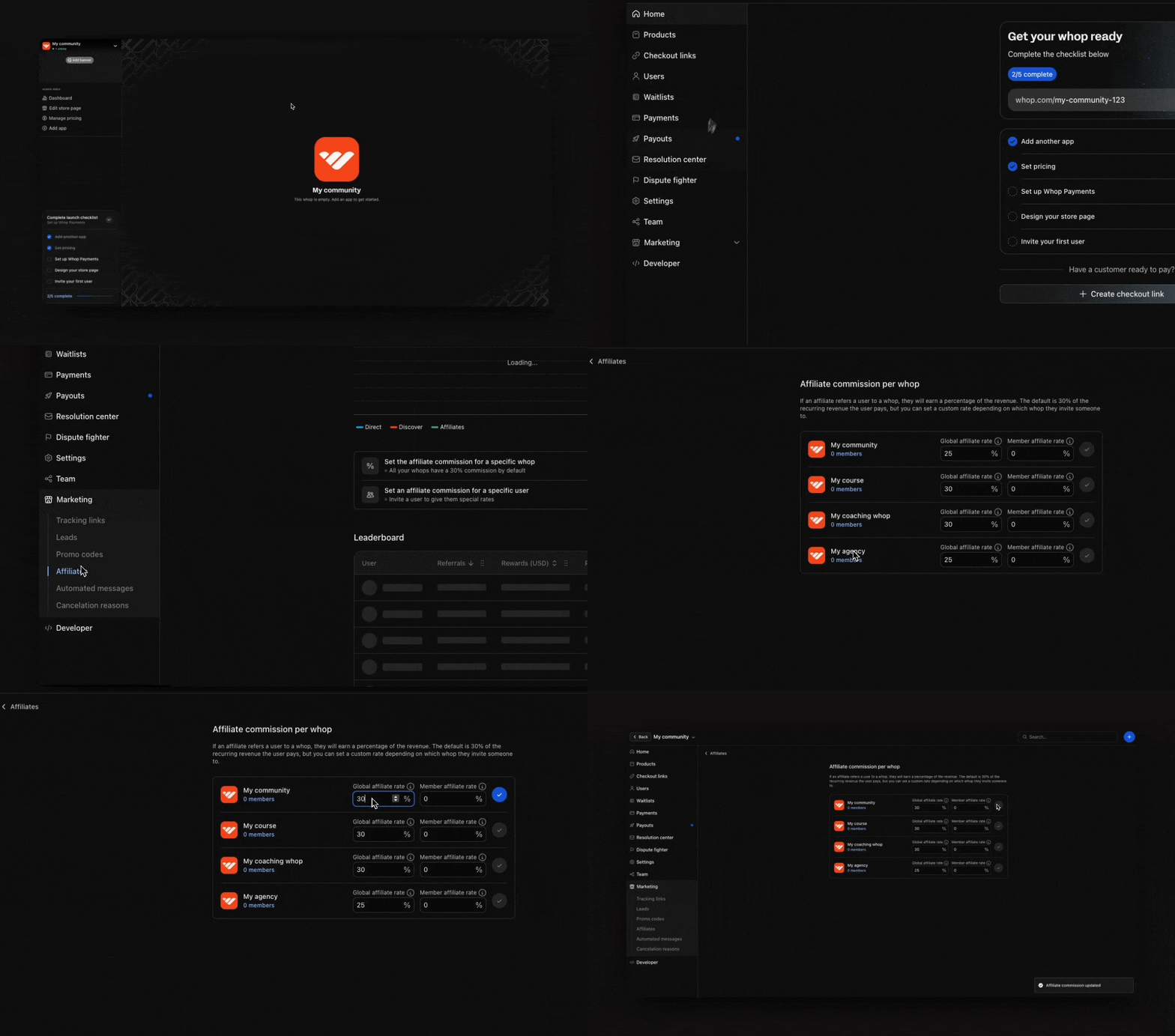
Go to your affiliate settings
To find your affiliate program:
- Go to your Dashboard
- Make sure you’re viewing the correct whop using the selection modal at the top left
- Select the Marketing dropdown
- Select Affiliates
Set commission rates for your whop
- Select Set the affiliate commission for a specific whop
- You’ll see all your whops with two key settings:
- Global affiliate rate: This is the commission rate offered to any user who refers others to your whop. The default is 30%, but you can adjust it to any percentage you prefer
- Member affiliate rate: This is the commission rate specifically for your existing members who refer others. This allows you to reward your community differently than general affiliates (e.g. members get 50% commission while the global rate is 30%)
How to create custom rates for partnerships
For special partnerships or top performers, you can create custom commission structures:- Select Set an affiliate commission for a specific user
- Enter the user’s Whop account email address
- Configure their reward:
- Choose between Percent and Fixed amount
- Select Recurring payments (ongoing commissions) or First payment (one-time commission)
- Select which whops this rate applies to
- Select Invite to send them an invitation