

Tap to Pay on iPhone lets you accept in-person payments directly on your iPhone using the Whop iOS app. Customers hold a contactless card or their phone over your iPhone and the payment clears in seconds. There’s no card reader, no dock, and no extra hardware to buy.
No hardware required
Your iPhone is the card reader. Nothing else to buy or carry.
One balance
In-person sales land in the same Whop balance as your online sales.
Contactless
Accept contactless cards, Apple Pay, and other mobile wallets.
You’ll need an iPhone XS or later running iOS 18 or later, plus the
latest Whop iOS app.
Your business address must be in a supported country.
You also need an internet connection. Tap to Pay isn’t available offline.
Where it’s available
Availability follows the country on your business address, which you set under Settings → Tax on Whop. Tap to Pay on iPhone currently works for businesses based in:An in-person sale settles in your business’s own country, so Whop needs a payments entity there. Poland is the only European Union country available today.
How it works
1
Create a product
In the Whop app, add a product for whatever you’re selling in person. A
single general product works well for a shop or stall.
2
Create a checkout link
When it’s time for a customer to pay, create a checkout link for the
product from your iPhone. A Tap to pay button appears below the QR code
on the checkout screen.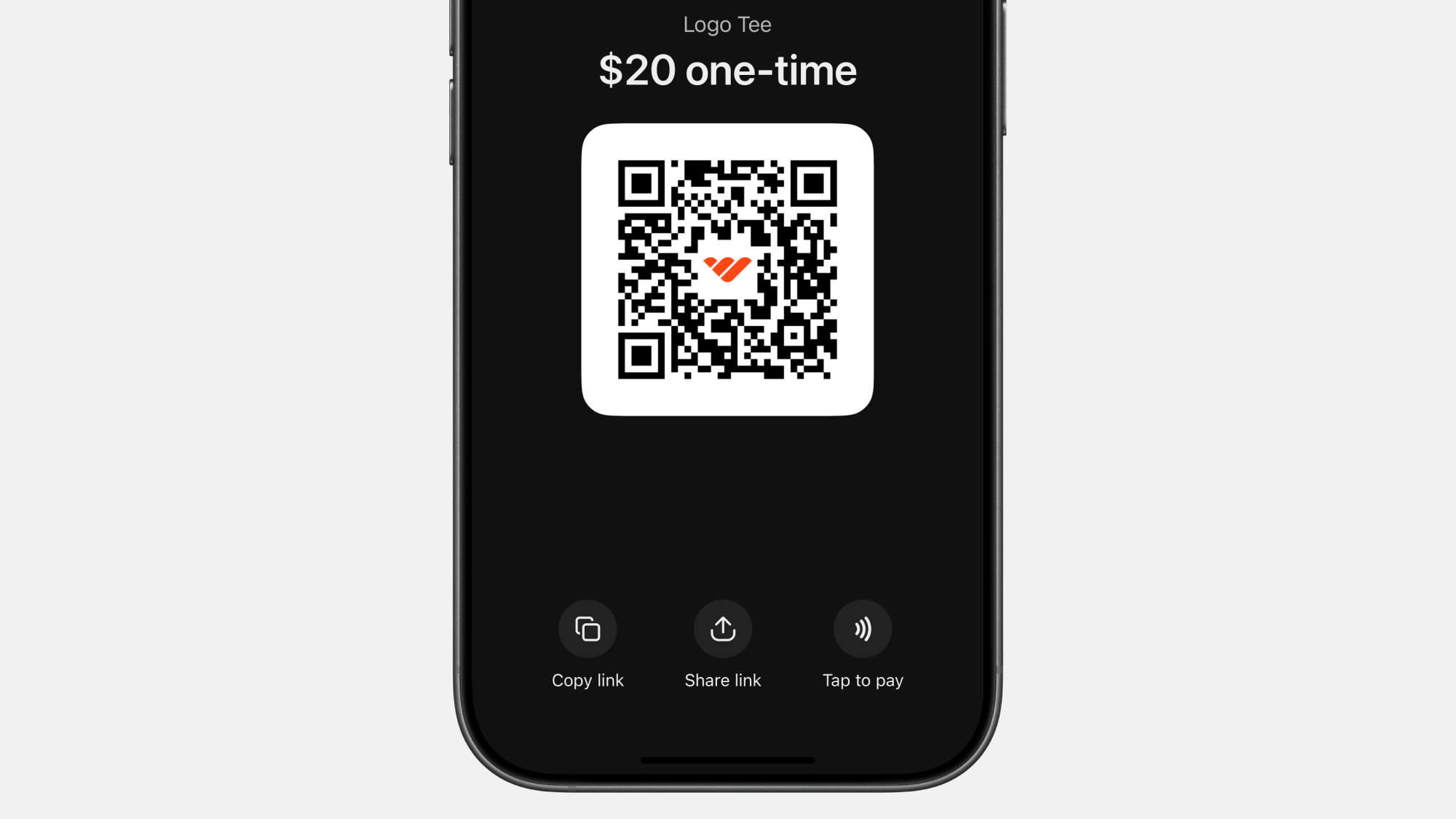
3
Tap the button and take the payment
Tap Tap to pay, then have the customer hold their contactless card,
iPhone, or Apple Watch to the top of your iPhone. The payment clears in
seconds.
4
Send a receipt (optional)
The customer can add their email at checkout to receive a receipt. The sale
shows up alongside your other payments in the Whop dashboard.
What you can accept
- Accept contactless cards (Visa, Mastercard, American Express, Discover)
- Apple Pay and other mobile wallets
- Apple Watch and phone-based contactless payments
Fees and payouts
Tap to Pay sales settle to your Whop balance just like online payments. Whop pays them out through your normal payout method and schedule. For per-transaction pricing, see the Fees page.Related resources
Create a checkout link
Set up the checkout link customers pay through in person.
Brick and mortar
A full walkthrough for running in-store sales on Whop.