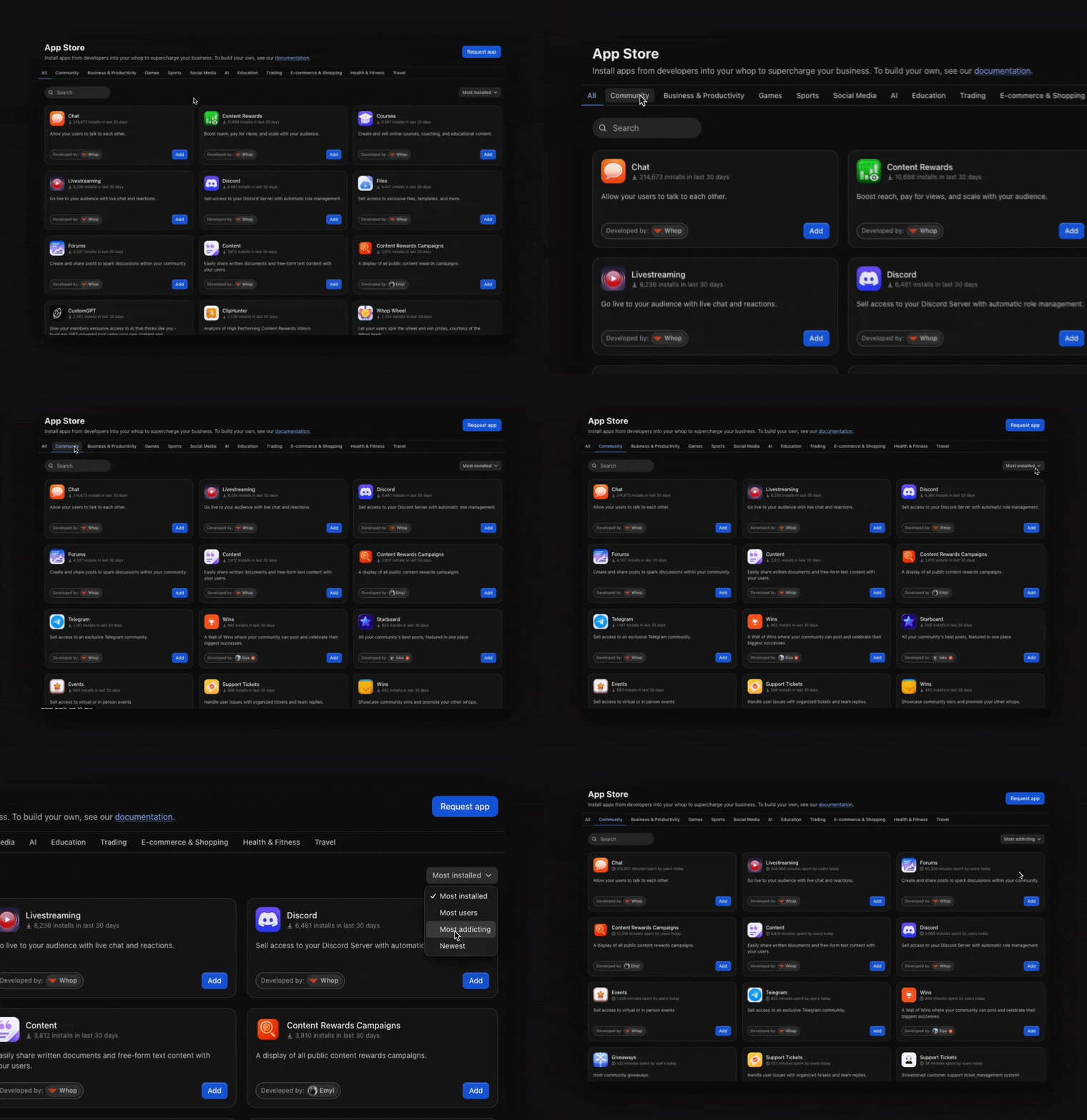
Browse the Whop App Store from your whop, filter apps by category or by newest, trending, and most addicting, and add the ones that fit your community.
The Whop App Store is a marketplace where you can browse and install apps for your whop.
Browse by category. Select a category tab: Community, Business & Productivity, Games, Sports, Social Media, Trading, AI, Education, E-commerce & Shopping, Health & Fitness, or Travel.
Filter your results to discover the best apps:
Newest: See the latest apps that just dropped
Trending: Find what’s getting the most installs right now
Most Addicting: Discover which apps people are spending the most time using
When you find an app that fits your community, select Add.
The Whop App Store’s selection continues to grow. Check it often to discover
new apps your members will find useful.
Assistant
Responses are generated using AI and may contain mistakes.