

The iOS WhopIAP SDK is coming soon. This documentation is a preview.
Overview
The WhopIAP SDK allows you to add in-app purchases to your iOS app. By using Whop’s payment processing instead of Apple’s In-App Purchase system, you can avoid App Store fees (typically 15-30% commission) and benefit from Whop’s low fees (2.7% + $0.30 for card payments). See details. The SDK requires minimal setup and integrates seamlessly with your existing SwiftUI views. Here’s a minimal example to get started:Backend Setup
Your backend needs to provide an endpoint that returns a Whop access token with theiap:client scope for your company.
Example: Next.js API Route
Configuration
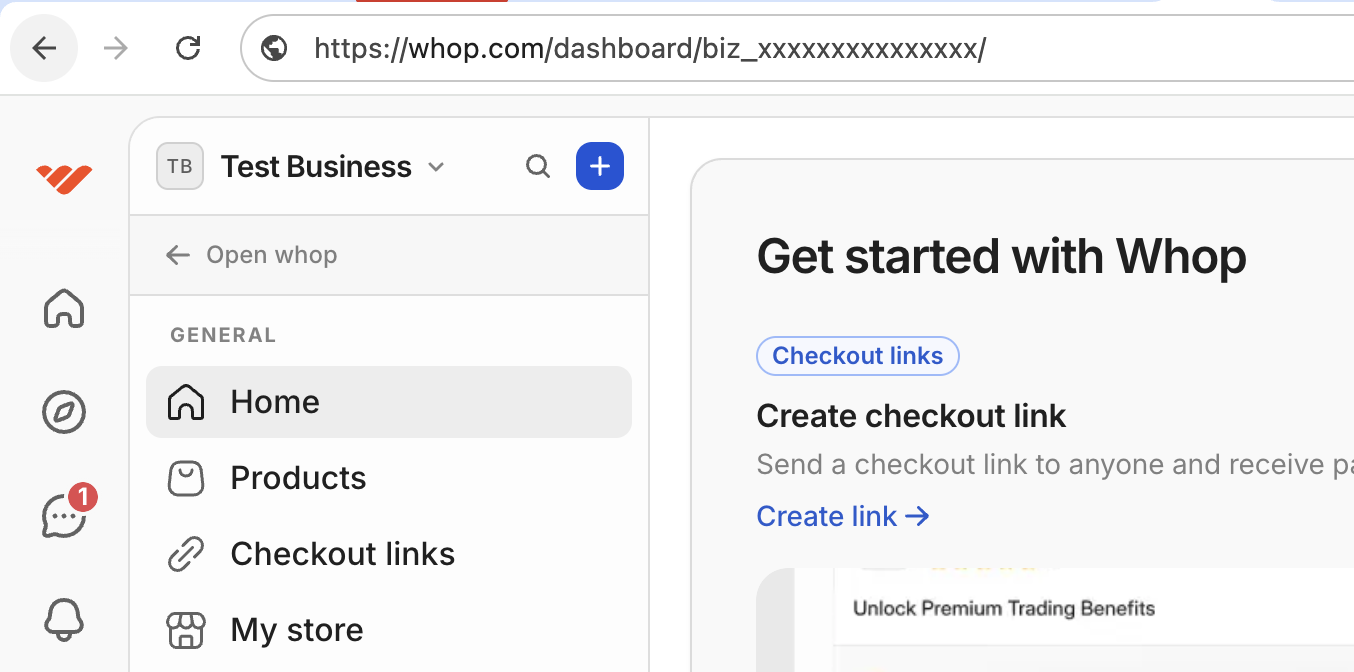
The SDK requires three parameters:- companyId: Your Whop company ID (starts with
biz_). You can find your company ID in the URL of the Whop Dashboard.
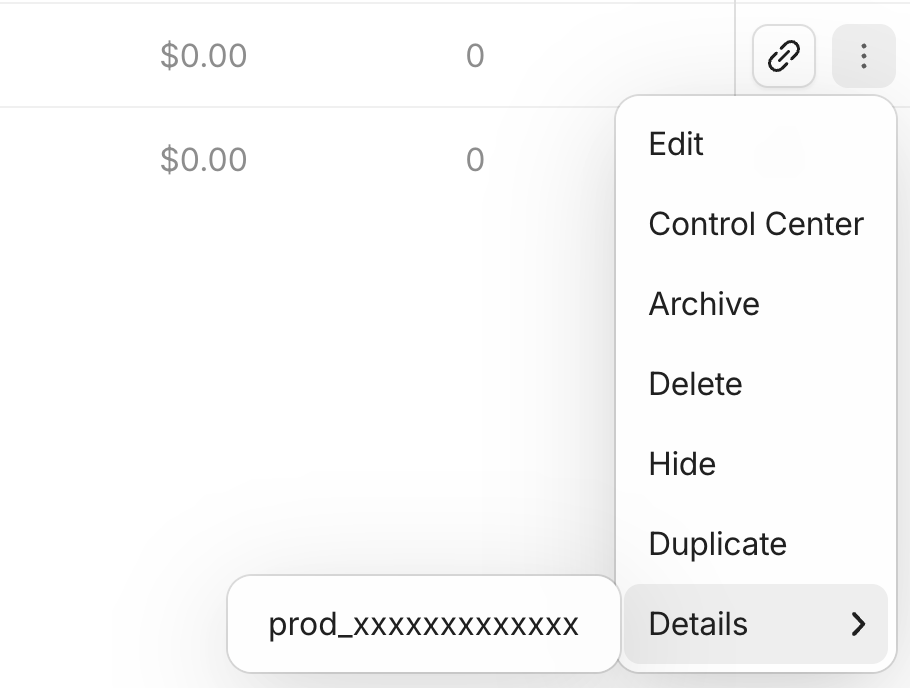
- productIds: Array of product IDs (starts with
prod_). You can find your product IDs in the Products tab of the Whop Dashboard.
- accessTokenProvider: A closure that fetches Whop tokens from your backend. The access token must have the
iap:clientscope.
Checking Membership Status
Check access to any product:
Check access to a specific product:
Displaying Plans
Purchasing a Plan
Callpurchase when the user taps a purchase button. The SDK automatically presents a checkout sheet, handles the payment flow, and dismisses the sheet when complete.
purchase method:
- Presents a checkout sheet with the Whop payment flow
- Waits for the user to complete or cancel the purchase
- Automatically dismisses the sheet
- Returns the result or throws an error
User Login/Logout
User IDs should be provided by your app, and they should not change. Memberships belonging to this user will be available across devices. Memberships can be purchased even when a user is not logged in. When the user does log in, the SDK automatically:- Claims any unclaimed memberships associated with the device
- Reloads memberships for the logged-in user
Log in a user
Log out a user
Get the current user’s ID
Device ID Management
The SDK automatically manages device IDs using the iOS Keychain. Each device gets a unique ID that persists across app launches. This allows purchases to be tracked even when users aren’t logged in. You can access the device ID usingwhop.deviceId.
Error Handling
Complete Reference
class WhopIAP
Allows you to manage in-app purchases in your iOS app. An @Observable class that can be used with SwiftUI’s environment system or accessed via the shared singleton instance.
static var shared
The shared singleton instance of the SDK.
func configure(companyId:productIds:accessTokenProvider:)
Configures and initializes the SDK. Call this once at app startup.
companyId: Your Whop company ID (starts withbiz_)productIds: Array of product IDs to manage (starts withprod_)accessTokenProvider: Closure that fetches Whop access tokens from your backend
WhopIAPError.tokenUnavailable if the access token is unavailable
Properties
var isInitialized
Indicates whether the SDK has finished initializing.
var deviceId
The unique device identifier managed by the SDK.
var appUserId
The current logged-in user ID, or nil if no user is logged in.
var plans
Array of available subscription plans.
var memberships
Array of active memberships for the current user or device.
Methods
func isSubscribed()
Checks if the user has an active subscription to any of the configured products.
true if the user has at least one active membership, false otherwise
func hasAccess(to:)
Checks if the user has access to a specific product.
productId: The product ID to check (starts withprod_)
true if the user has an active membership for the product, false otherwise
func purchase(_:)
Initiates a purchase flow for a plan. Presents a checkout sheet, handles the payment, and returns when complete.
planId: The plan ID to purchase (starts withplan_)
PurchaseResult containing the receipt ID and membership information
Throws:
WhopIAPError.cancelledif the user dismisses the checkoutWhopIAPError.tokenUnavailableif the access token is unavailableWhopIAPError.paymentFailedif the payment fails
func logIn(appUserId:)
Logs in a user and claims any unclaimed memberships associated with the device.
appUserId: Your app’s user ID (should not change for the same user)
WhopIAPError.tokenUnavailable if the access token is unavailable
func logOut()
Logs out the current user.
Types
struct PurchaseResult
The result of a successful purchase.
enum WhopIAPError
Errors thrown by the SDK when operations fail.
cancelled: The user dismissed the checkout sheet without completing the purchasetokenUnavailable: The access token is unavailable. Ensure your token provider is working correctly.paymentFailed: The payment failed. The associated string contains the error message.
Requirements
- iOS 17.0+
- Xcode 15.0+
- Swift 5.9+