

The iOS WhopIAP SDK is coming soon. This documentation is a preview.
Before your iOS app can accept payments, you need to install the SDK, set up a backend endpoint that provides authentication tokens, then initialize the SDK with your Whop configuration.

Installation

The WhopIAP SDK is distributed via Swift Package Manager.
1

Add package dependency

In Xcode, go to File → Add Package Dependencies and enter:
https://github.com/whopio/whopsdk-payments-swift
2

Select version

Choose your preferred version rule:
  • Up to Next Major - Recommended for most projects
  • Exact Version - For strict version control
3

Import the SDK

import WhopIAP

Backend Setup

Your backend needs an endpoint that returns a Whop access token with the iap:client scope. This token authenticates your app’s payment requests.
import { NextRequest } from "next/server";
import Whop from "@whop/sdk";

const whop = new Whop({
  appID: process.env.WHOP_APP_ID!,
  apiKey: process.env.WHOP_API_KEY!,
});

export async function GET(request: NextRequest) {
  const token = await whop.accessTokens.create({
    company_id: "biz_xxxxxxxxxxxxxx",
    scoped_actions: ["iap:client"],
  });

  return Response.json({ token: token.access_token });
}
Security considerations:
  • Never expose your WHOP_API_KEY in client-side code. Always generate tokens on your backend.
  • Only grant the iap:client scope to these tokens. This scope is designed for client-side use and limits the token to IAP operations only. Never grant broader permissions to tokens sent to mobile devices.

Access Tokens API

See the full API reference for creating access tokens

SDK Configuration

Initialize the SDK once at app startup, typically in your App struct:
import SwiftUI
import WhopIAP

@main
struct MyApp: App {
    @State private var whop = WhopIAP.shared

    var body: some Scene {
        WindowGroup {
            ContentView()
                .environment(whop)
                .task {
                    do {
                        try await whop.configure(
                            companyId: "biz_xxxxxxxxxxxxxx",
                            productIds: ["prod_xxxxxxxxxxxxxx"],
                            accessTokenProvider: { try await fetchToken() }
                        )
                    } catch {
                        print("Failed to configure WhopIAP: \(error)")
                    }
                }
        }
    }

    func fetchToken() async throws -> String {
        let url = URL(string: "https://your-api.com/api/whop/token")!
        let (data, _) = try await URLSession.shared.data(from: url)
        let response = try JSONDecoder().decode(TokenResponse.self, from: data)
        return response.token
    }
}

struct TokenResponse: Codable {
    let token: String
}

Configuration Parameters

ParameterDescription
companyIdYour Whop company ID (starts with biz_)
productIdsArray of product IDs to manage (starts with prod_)
accessTokenProviderAsync closure that fetches tokens from your backend
func configure(
    companyId: String,
    productIds: [String],
    accessTokenProvider: @escaping () async throws -> String
) async throws
Throws: WhopIAPError.tokenUnavailable if the initial token fetch fails.Note: Call this once at app startup. Calling it multiple times has no effect.

Finding Your IDs

Your company ID is in the URL when viewing your Whop Dashboard:
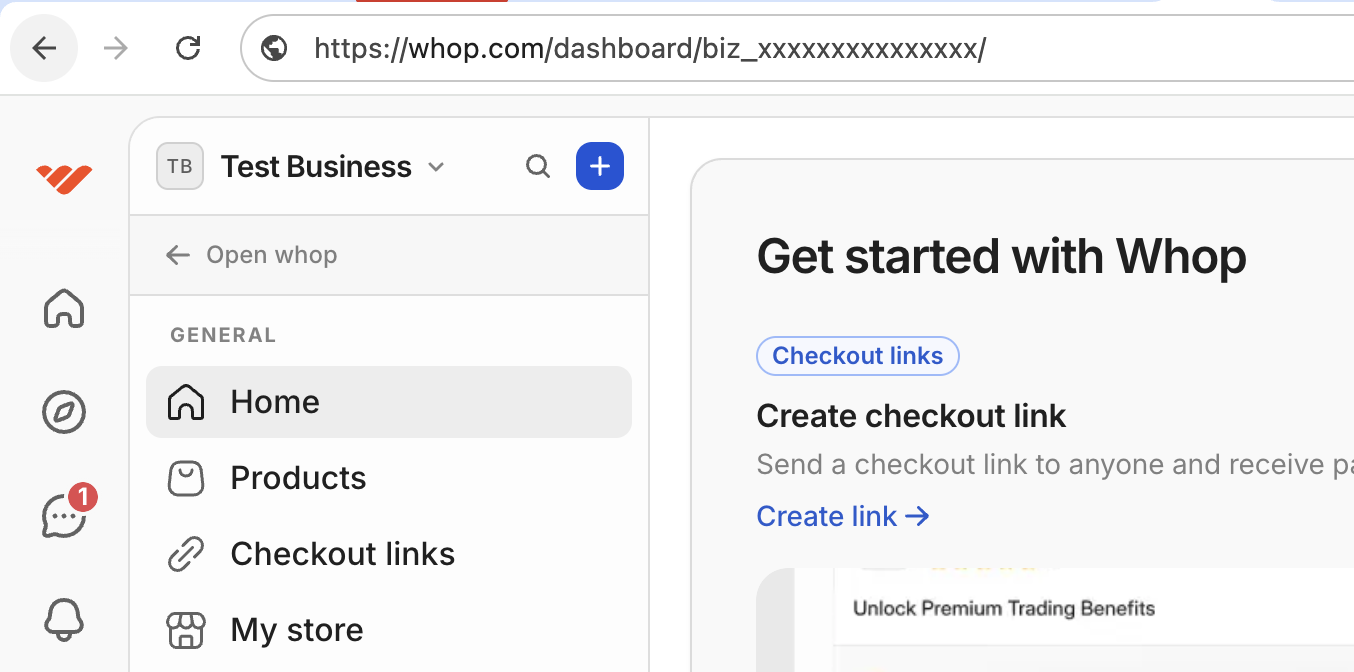
https://whop.com/dashboard/biz_xxxxxxxxxxxxxx/...
                           ^^^^^^^^^^^^^^^^^^
                           This is your company ID
Company ID location
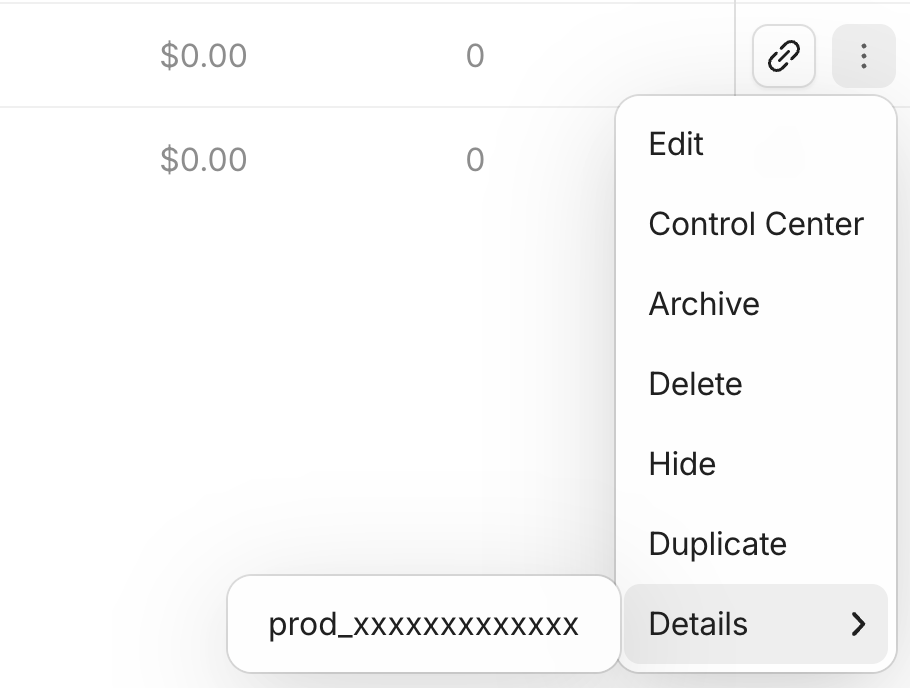
Find product IDs in the Products tab of your Whop Dashboard. Click on a product to see its ID in the URL or details panel.Product ID location
Using the Environment

The SDK is an @Observable class, so you can pass it through SwiftUI’s environment:
struct ContentView: View {
    @Environment(WhopIAP.self) var whop

    var body: some View {
        if whop.isInitialized {
            // SDK is ready
            PremiumContentView()
        } else {
            // Show loading state
            ProgressView("Loading...")
        }
    }
}

FAQ

The SDK automatically calls your accessTokenProvider closure when it needs a fresh token. You don’t need to handle token refresh manually.
Yes, but the SDK won’t function until configure() completes. Check whop.isInitialized before using other SDK methods.
The configure() call will throw an error. Implement retry logic or show an error state to users. The SDK caches the last valid token, so brief outages during runtime are handled automatically.

Next Steps

Purchasing

Learn how to display plans and handle the checkout flow