> ## Documentation Index
> Fetch the complete documentation index at: https://docs.whop.com/llms.txt
> Use this file to discover all available pages before exploring further.
# The Whop App Store
> Everything you need to know about the Whop App Store
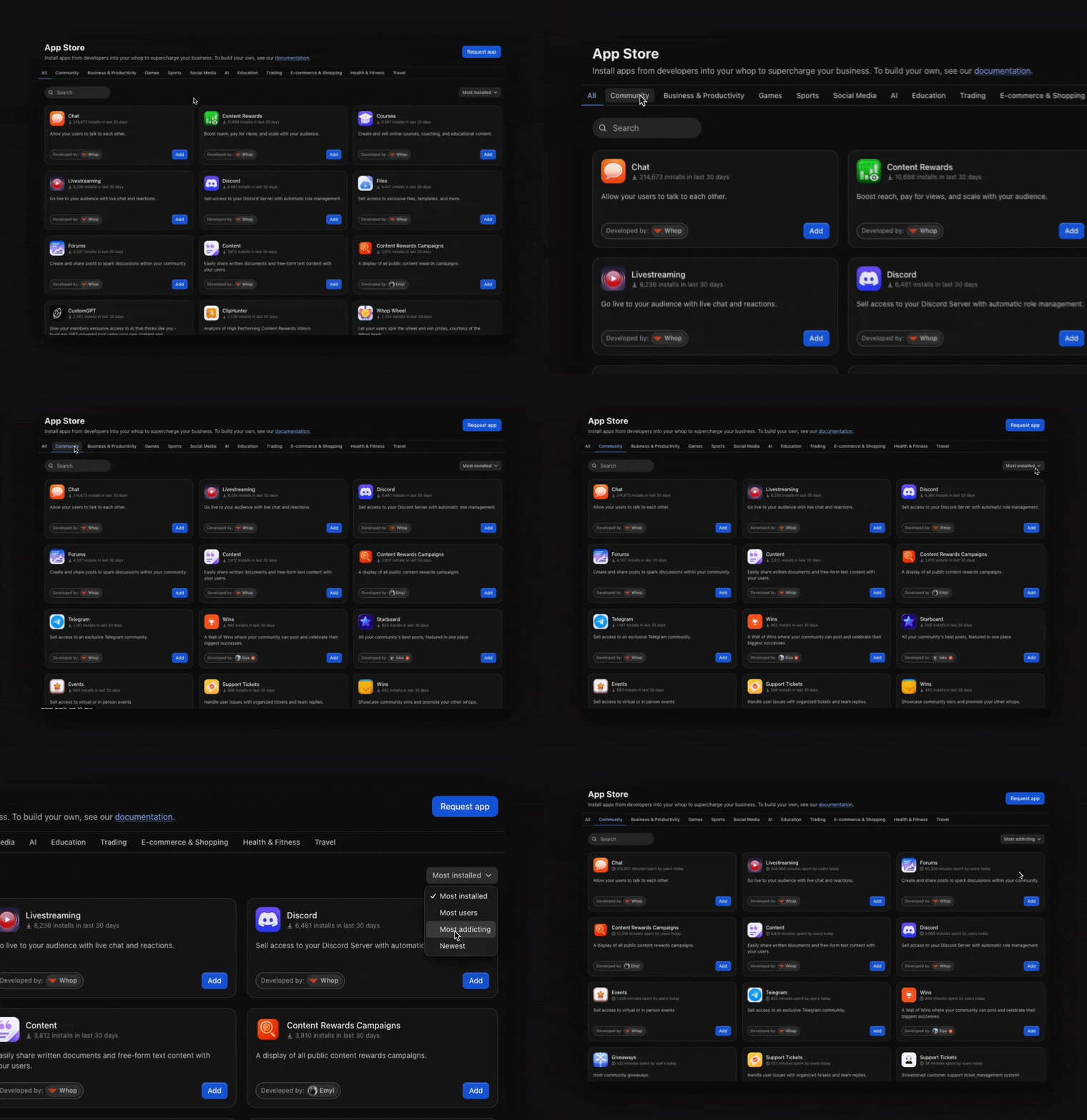
The Whop App Store is a marketplace where you can browse and install apps for your whop.
## Browse apps
To start browsing available apps:
* Log in and go to your whop
* Select **Add app** from the left sidebar
* You're now in the Whop App Store and ready to explore
## Find apps
1. **Browse by category.** Select a category tab: **Community**, **Business & Productivity**, **Games**, **Sports**, **Social Media**, **Trading**, **AI**, **Education**, **E-commerce & Shopping**, **Health & Fitness**, or **Travel**.
2. **Filter your results** to discover the best apps:
* **Newest**: See the latest apps that just dropped
* **Trending**: Find what's getting the most installs right now
* **Most Addicting**: Discover which apps people are spending the most time using
When you find an app that fits your community, select **Add**.
The Whop App Store's selection continues to grow. Check it often to discover
new apps your members will find useful.