> ## Documentation Index
> Fetch the complete documentation index at: https://docs.whop.com/llms.txt
> Use this file to discover all available pages before exploring further.
# Agencies
> Learn how to launch and run your agency on Whop
You can manage lead generation, take sales calls, showcase case studies, run private client portals, handle payments, and coordinate your team - all in Whop.
## How it works
**For prospects:** Create a free whop with your case studies, resources, and a call booking link.
**For clients:** Send private checkout links, collect payments, and give access to private project spaces where you can chat, share deliverables, and manage timelines.
## Launch your agency on Whop in 9 steps
Head over to [**whop.com/sell**](https://whop.com/dashboard/start/) and get your community up and running:
* Choose a memorable name for your agency
* Select your custom URL
* Complete the basic setup
Your whop is now live and ready to customize.
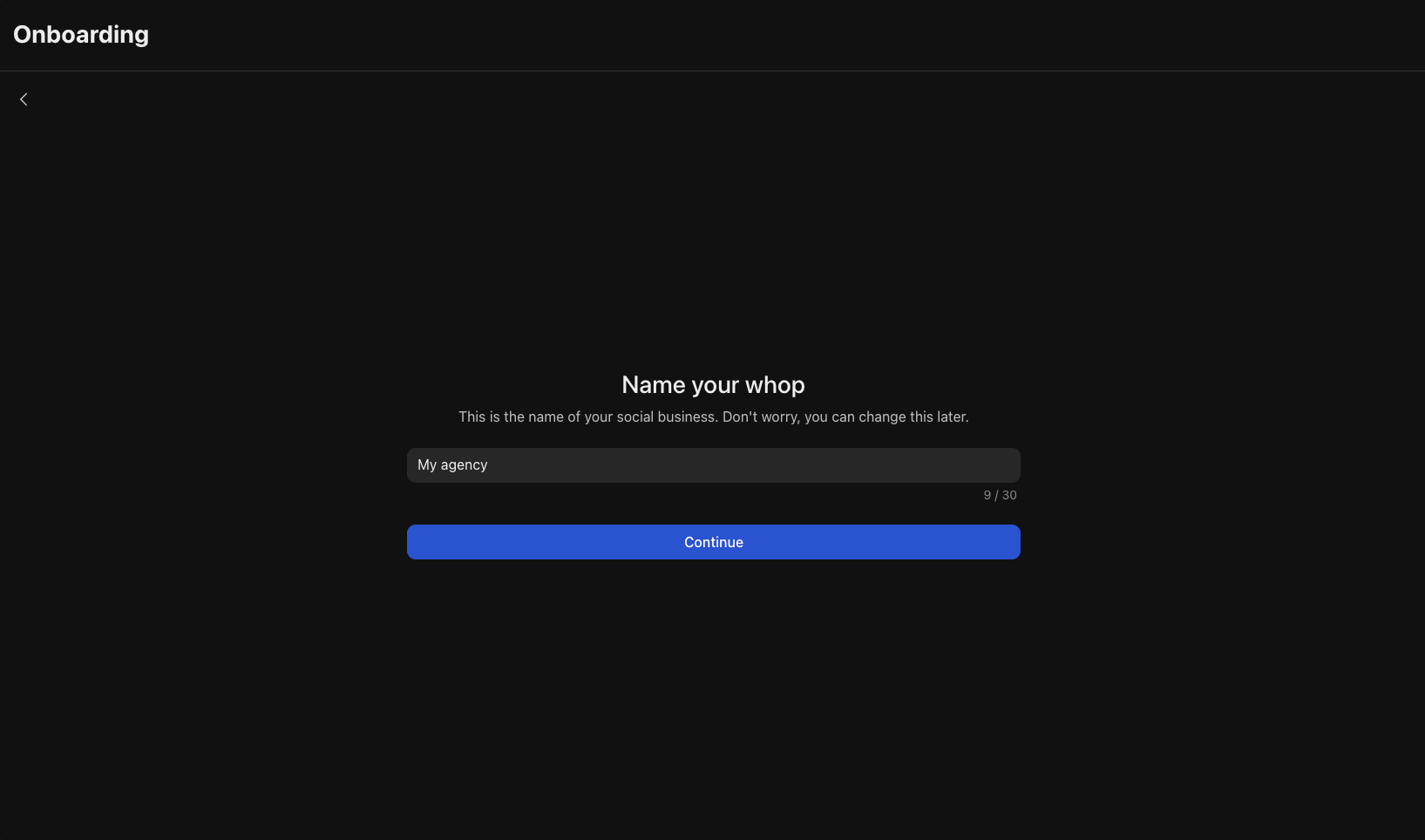 Just like Calendly, this app allows you to set up your calendar so prospects can schedule discovery sales calls with you.
1. Add the [**Calendar Bookings**](https://whop.com/apps/app_dC2dkRARmXE4qf/install/) app from the Whop App Store, then click **Configure Calendar Bookings** to set up your availability
2. Click **Add availability** or **+** at the top right
3. Add the:
* **Title**
* **Duration**
* **Meeting link/Location**
* You can optionally add a **Description** and a **Price per booking**
4. Click **Continue**
5. Select the **Days** and **Time** you’ll be available
6. Click **Create**
Just like Calendly, this app allows you to set up your calendar so prospects can schedule discovery sales calls with you.
1. Add the [**Calendar Bookings**](https://whop.com/apps/app_dC2dkRARmXE4qf/install/) app from the Whop App Store, then click **Configure Calendar Bookings** to set up your availability
2. Click **Add availability** or **+** at the top right
3. Add the:
* **Title**
* **Duration**
* **Meeting link/Location**
* You can optionally add a **Description** and a **Price per booking**
4. Click **Continue**
5. Select the **Days** and **Time** you’ll be available
6. Click **Create**
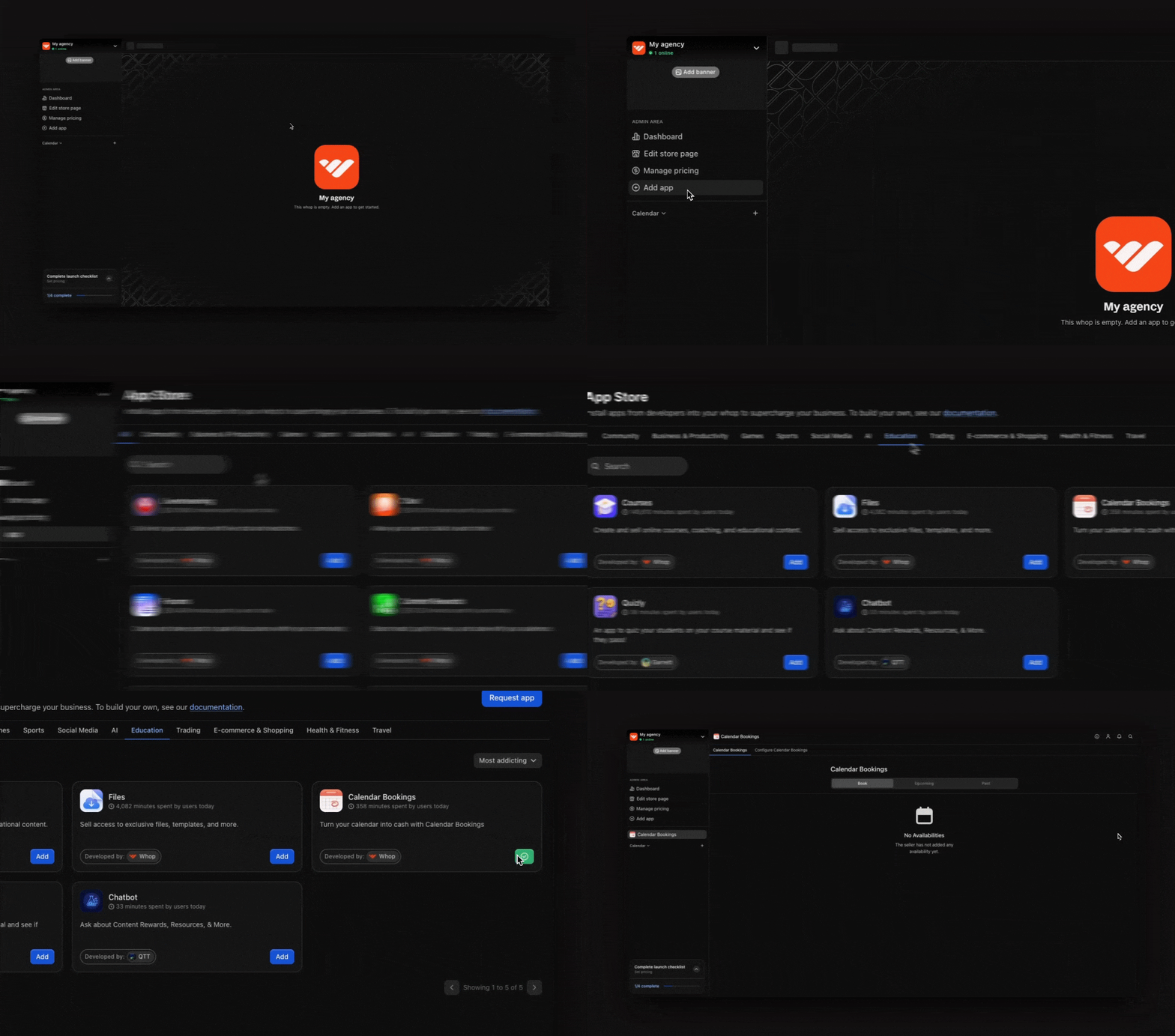 Add high value materials and documents using the [**Files**](https://whop.com/apps/app_5UWRrs7haZZeiQ/install/) app to turn your whop into a lead magnet.
* **Case studies:** Showcase client work, before/after results, and success stories
* **Free resources:** Upload templates, audits, checklists, or anything you'd normally offer as a lead magnet
Leads will join your whop to access the resources, you capture their details, then browse your whop and potentially book a call.
Add high value materials and documents using the [**Files**](https://whop.com/apps/app_5UWRrs7haZZeiQ/install/) app to turn your whop into a lead magnet.
* **Case studies:** Showcase client work, before/after results, and success stories
* **Free resources:** Upload templates, audits, checklists, or anything you'd normally offer as a lead magnet
Leads will join your whop to access the resources, you capture their details, then browse your whop and potentially book a call.
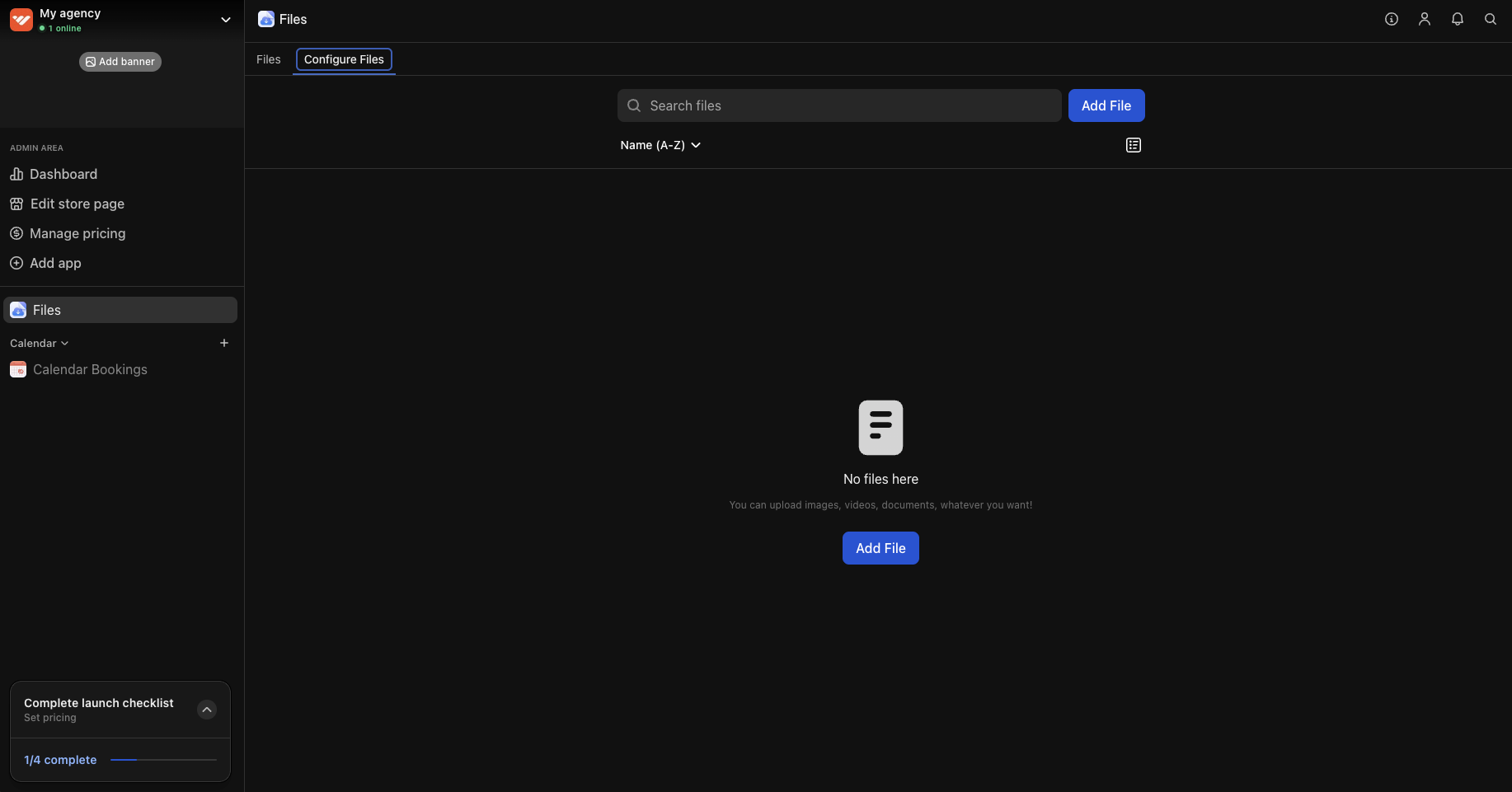 The [**Content**](https://whop.com/apps/app_mmjPLOxIgL1qxe/install/) app gives you unlimited flexibility to share text-based resources with your prospects.
* Welcome guide explaining how prospects can get the most value from your whop
* FAQ section answering common questions about your services
* Your methodology or approach to solving client problems
The [**Content**](https://whop.com/apps/app_mmjPLOxIgL1qxe/install/) app gives you unlimited flexibility to share text-based resources with your prospects.
* Welcome guide explaining how prospects can get the most value from your whop
* FAQ section answering common questions about your services
* Your methodology or approach to solving client problems
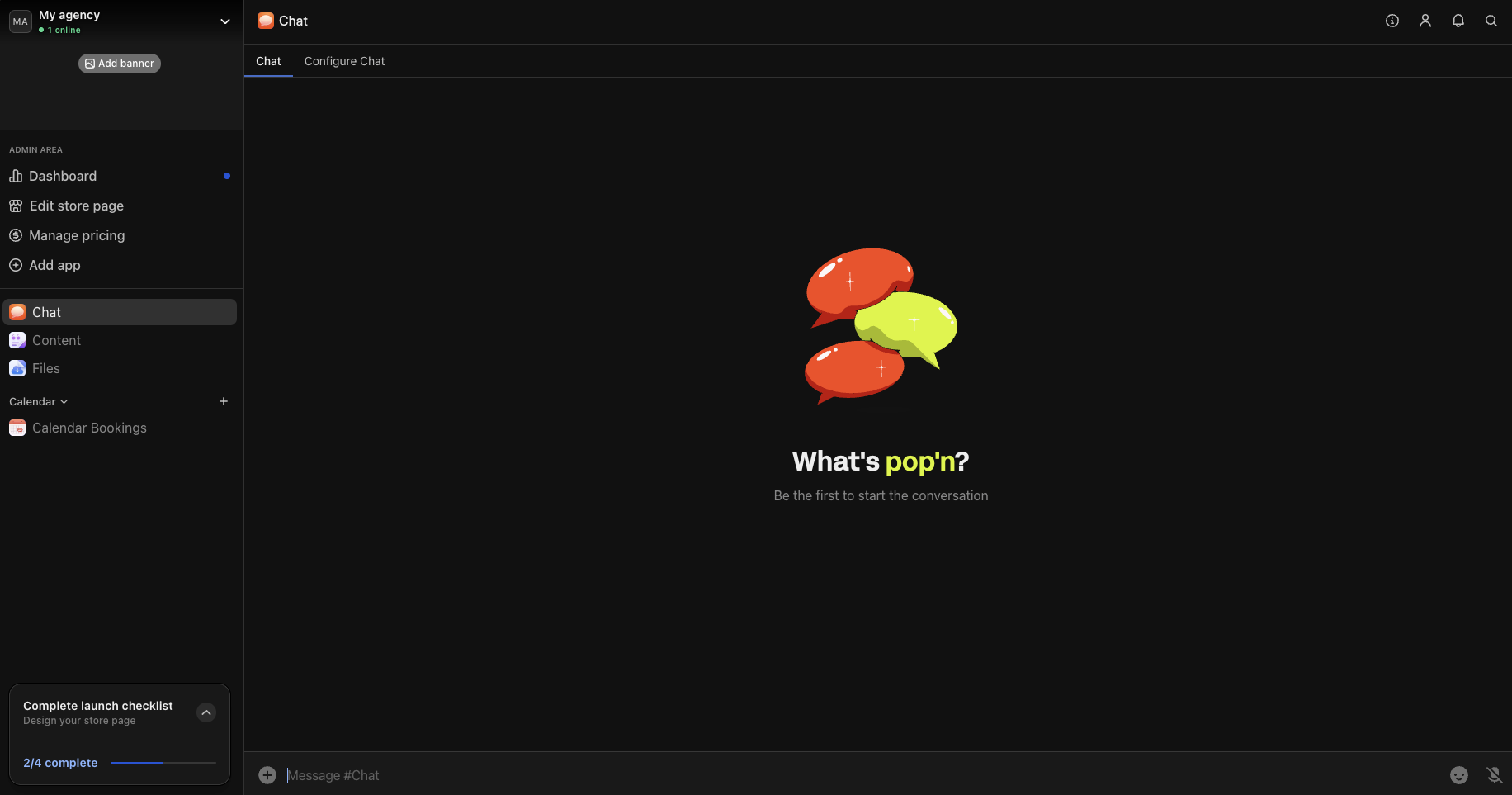
 Consider adding a community element to your whop where prospects can ask questions, engage with your content, and stay connected with your agency. Add the [**Chat**](https://whop.com/apps/app_xml5hbizmZPgUT/install/) app from the Whop App Store and rename it to "Ask questions" or "General chat". This creates a space where prospects can:
* Ask questions about your area of expertise
* Get quick answers and build trust with your agency
* Connect with other prospects
Stay active in the chat to build relationships and demonstrate your expertise. Answer questions quickly and share valuable insights - this positions you as helpful and knowledgeable before prospects even book a call.
Consider adding a community element to your whop where prospects can ask questions, engage with your content, and stay connected with your agency. Add the [**Chat**](https://whop.com/apps/app_xml5hbizmZPgUT/install/) app from the Whop App Store and rename it to "Ask questions" or "General chat". This creates a space where prospects can:
* Ask questions about your area of expertise
* Get quick answers and build trust with your agency
* Connect with other prospects
Stay active in the chat to build relationships and demonstrate your expertise. Answer questions quickly and share valuable insights - this positions you as helpful and knowledgeable before prospects even book a call.
 Now that you've added your apps, create a free product that gives prospects access to everything.
* Go to your whop > click **Products** > click **Add product**
Configure the settings in the product to make it free to access.
[Learn more about setting up pricing and products here](/manage-your-business/payment-processing/set-up-pricing).
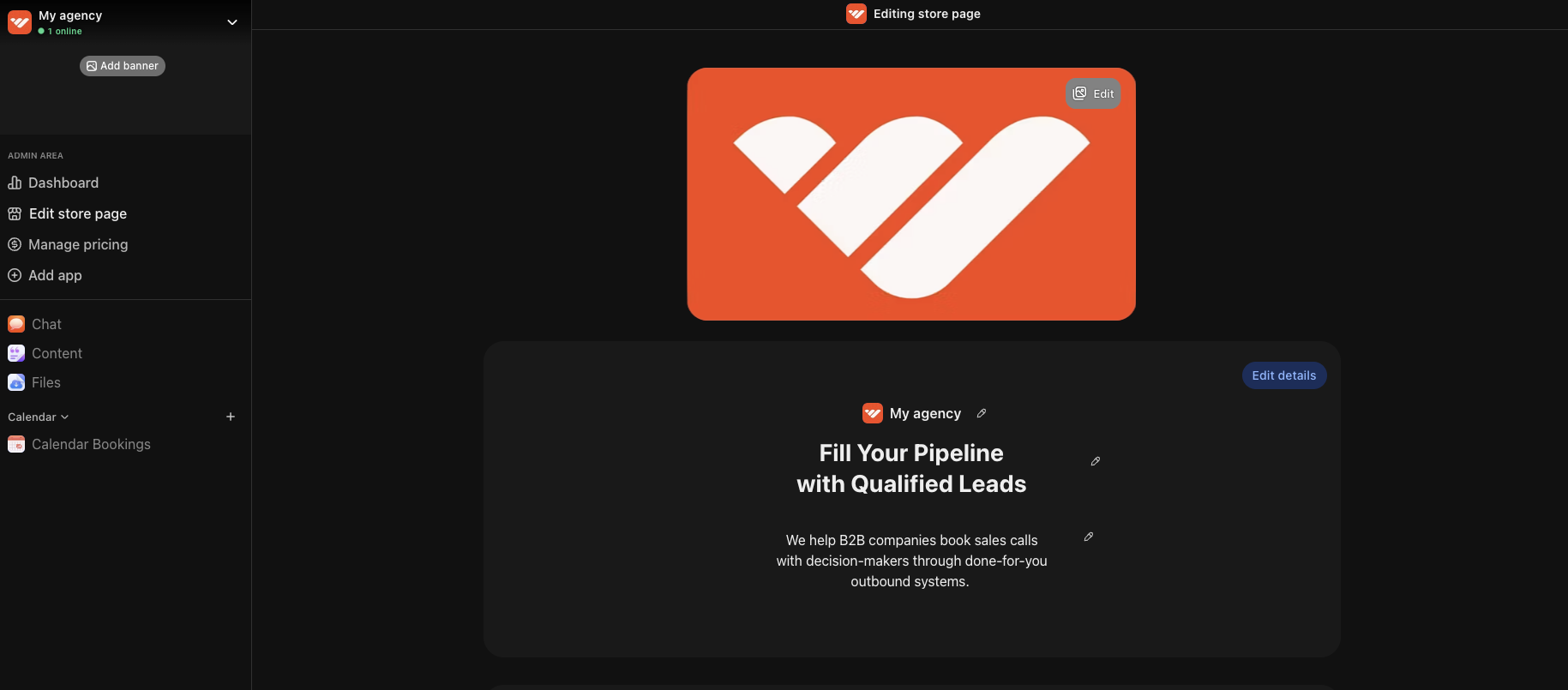
Your store page is where prospects decide whether to join your agency's free whop. Click your whop name in the top left, then select **Design store page** to open the editor. Click **Edit details** to customize:
* **Choose a clear name and headline:** Make it immediately obvious what your agency offers and who it's for
* **Write a compelling description:** Focus on the results you deliver for clients
* **Upload a clean logo:** Even a simple logo builds credibility and makes your agency look legit
* **Add gallery images or video:** Include case study screenshots, client testimonials, or a brief welcome video that builds trust and showcases your expertise
* **Select "Agencies" as your category:** This helps people discover your services when browsing Whop
Now that you've added your apps, create a free product that gives prospects access to everything.
* Go to your whop > click **Products** > click **Add product**
Configure the settings in the product to make it free to access.
[Learn more about setting up pricing and products here](/manage-your-business/payment-processing/set-up-pricing).
Your store page is where prospects decide whether to join your agency's free whop. Click your whop name in the top left, then select **Design store page** to open the editor. Click **Edit details** to customize:
* **Choose a clear name and headline:** Make it immediately obvious what your agency offers and who it's for
* **Write a compelling description:** Focus on the results you deliver for clients
* **Upload a clean logo:** Even a simple logo builds credibility and makes your agency look legit
* **Add gallery images or video:** Include case study screenshots, client testimonials, or a brief welcome video that builds trust and showcases your expertise
* **Select "Agencies" as your category:** This helps people discover your services when browsing Whop
 When someone books a call through your **Calendar Bookings** app and decides to work with you, you can create a paid product (and checkout link) for them. When you close a client, you have two options:
### Option A: Use Whop for payment processing only
Choose this option if you just want to handle the payment through Whop and manage everything else with your current tools.
* Create a new product specifically for that client
* [Set your pricing](/manage-your-business/payment-processing/set-up-pricing) (one-time project fee or recurring retainer)
* Don't toggle on any apps for this product
* Send them the private checkout link to complete payment
* Manage project delivery through your existing tools
### Option B: Create a complete client portal
Give your client a dedicated space inside your whop where you can communicate and share project materials.
* Create a new paid product for the client
* [Set your pricing structure](/manage-your-business/payment-processing/set-up-pricing)
* Add apps in your whop that are only accessible to this client:
* **Chat**: Private 1:1 communication channel
* **Files**: Upload deliverables, contracts, and assets
* **Events**: Schedule review sessions, deadlines, and milestones
* **Content**: Share project briefs, strategy documents, or progress updates
* **Calendar**: Allow clients to book additional calls or check-ins
* Hide this product from your public store page
* Send the private checkout link after your sales call
As your agency grows, you can add team members.
* [Learn more about managing your team, roles and permissions here](/manage-your-business/team-management/manage-team-roles)
You can even pay your team through whop.
* [Learn how to pay your team on Whop here](/manage-your-business/manage-payouts/pay-your-team)
Add internal apps that are only accessible to your team members to keep your operations running smoothly.
* **Files**: Store SOPs, templates, and internal documentation
* **Chat**: Create team communication channels
* **Events**: Schedule team meetings and deadlines
* **Calendar**: Allow team members to book 1-on-1s with you
## Next steps
Learn how to use Whop's tools and features to get more clients.
When someone books a call through your **Calendar Bookings** app and decides to work with you, you can create a paid product (and checkout link) for them. When you close a client, you have two options:
### Option A: Use Whop for payment processing only
Choose this option if you just want to handle the payment through Whop and manage everything else with your current tools.
* Create a new product specifically for that client
* [Set your pricing](/manage-your-business/payment-processing/set-up-pricing) (one-time project fee or recurring retainer)
* Don't toggle on any apps for this product
* Send them the private checkout link to complete payment
* Manage project delivery through your existing tools
### Option B: Create a complete client portal
Give your client a dedicated space inside your whop where you can communicate and share project materials.
* Create a new paid product for the client
* [Set your pricing structure](/manage-your-business/payment-processing/set-up-pricing)
* Add apps in your whop that are only accessible to this client:
* **Chat**: Private 1:1 communication channel
* **Files**: Upload deliverables, contracts, and assets
* **Events**: Schedule review sessions, deadlines, and milestones
* **Content**: Share project briefs, strategy documents, or progress updates
* **Calendar**: Allow clients to book additional calls or check-ins
* Hide this product from your public store page
* Send the private checkout link after your sales call
As your agency grows, you can add team members.
* [Learn more about managing your team, roles and permissions here](/manage-your-business/team-management/manage-team-roles)
You can even pay your team through whop.
* [Learn how to pay your team on Whop here](/manage-your-business/manage-payouts/pay-your-team)
Add internal apps that are only accessible to your team members to keep your operations running smoothly.
* **Files**: Store SOPs, templates, and internal documentation
* **Chat**: Create team communication channels
* **Events**: Schedule team meetings and deadlines
* **Calendar**: Allow team members to book 1-on-1s with you
## Next steps
Learn how to use Whop's tools and features to get more clients.